Discord Colored Text Generator (ANSI Code Block Maker 2026)
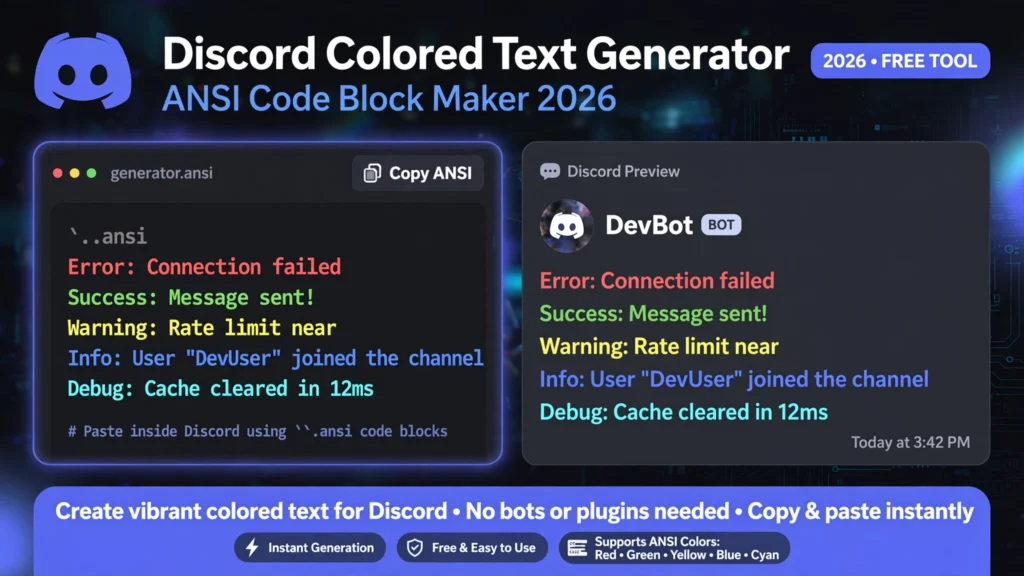
Welcome to the ultimate discord colored text generator! If you want to make your chat stand out with vibrant ANSI fonts, our free tool allows you to write messages in red, blue, green, cyan, and yellow with instant one-click markdown formatting.
Discord Colored Text Generator
Highlight any text, pick your ANSI color, and paste directly into Discord chat
How to Use the Discord Colored Text Generator (Step-by-Step)
Formatting custom colored messages in Discord used to be difficult, but using our discord colored text generator takes only a few seconds:
- Type Your Text: Write your message, announcement, or role title inside the dark preview box above.
- Highlight Words: Use your mouse or mobile screen to select the specific word or phrase you want to highlight.
- Choose Your Color: Click on any color swatch from the top toolbar—such as Red, Green, Cyan, or Yellow. You can also apply bold or underline styles.
- Copy the Output: Click the “Copy for Discord” button. The generator automatically wraps your words in the official ANSI syntax.
- Paste in Discord: Open your server chat or DM, paste the clipboard text, and hit send!
Why Use an Online Discord Colored Text Generator?
Discord does not provide built-in color buttons in its default chat bar. Instead, it relies on complex ANSI (American National Standards Institute) escape codes such as \u001b[0;31m. Typing these escape symbols on a smartphone or keyboard is practically impossible.
Our browser-based discord colored text generator automates this entire process. It converts your visual styling into clean markdown code blocks without requiring any coding knowledge.
Official Discord ANSI Color Codes Cheat Sheet
Here is a breakdown of how the ANSI codes render inside Discord’s desktop and web clients:
| Color Name | ANSI Code | Best Discord Use Case |
| Dark Gray | [0;30m | Dim timestamps and secondary info |
| Red | [0;31m | Urgent warnings, ban notices, and raid alerts |
| Green | [0;32m | Verification success and online announcements |
| Yellow | [0;33m | Event reminders and caution banners |
| Blue | [0;34m | Information logs and clean aesthetic quotes |
| Pink | [0;35m | VIP role titles and cyberpunk aesthetics |
| Cyan | [0;36m | Bot commands and tech channel headers |
| White | [0;37m | High-visibility server rules |
Combining Colored Text with Aesthetic Fonts and Hidden Spacing
Level up your community presence by combining ANSI code blocks with other creative typography utilities across our website:
- Preview Layouts Before Posting: Test how your formatting renders across desktop and mobile screens with our Discord glitch text preview tool.
- Mysterious Ghost Nicknames: Clean up your server sidebar by setting a hidden name using our one-click invisible character tool.
- Corrupted & Horror Text: If standard colors feel too clean, drip chaotic Zalgo combining marks onto your messages using our cursed text copy paste generator.
- Sound-Infused Memes: Craft distorted chat captions and pairing graphics with our browser-based glitch meme generator.
Designing Standout Gaming Tags for PUBG and TikTok
Many Discord server owners run competitive gaming teams and streaming clans. You can pair your colored Discord welcome messages with customized gamer handles:
- Check out our trending master list of 100+ unique PUBG names to design an intimidating clan roster.
- For streamers and content creators growing on short-form platforms, explore our dark aesthetic TikTok glitch names to synchronize your online brand across platforms.
Discord Color Codes: Backgrounds, Bold and Underline
The cheat sheet above covers the eight text colors. Discord color codes can also set a background color, bold and underline. Every code sits inside an ANSI escape sequence in the form \u001b[format;color m, written without the space, and the message goes in a code block that starts with ```ansi. Reset to normal with \u001b[0m.
| Code | Type | Result |
|---|---|---|
| 0 | Format | Normal (reset) |
| 1 | Format | Bold |
| 4 | Format | Underline |
| 40 | Background | Firefly dark blue |
| 41 | Background | Orange |
| 42 | Background | Marble blue |
| 43 | Background | Greyish turquoise |
| 44 | Background | Gray |
| 45 | Background | Indigo |
| 46 | Background | Light gray |
| 47 | Background | White |
You can combine values in one prefix, for example \u001b[1;40;32m for bold green text on a dark blue background. Put the background before the text color. Colored ANSI text shows on desktop and web, but it does not appear on Discord mobile, so check how your message looks there before relying on it. For the same idea in another game, see our Minecraft color codes list.
Frequently Asked Questions About Discord Colored Text
Is this discord colored text generator free to use?
Yes! Our online discord colored text generator is 100% free with unlimited generation and no login required.
Do I need Discord Nitro to send colored text?
No. ANSI color code blocks are a standard feature available to every Discord user without needing a paid Nitro subscription.
Why does colored text sometimes appear white on Discord mobile?
Older versions of the Discord Android and iOS apps display code blocks as plain white monospace text. Updating your Discord app to the newest version ensures colors render properly.
Related Tools & Guides
ANSI colour only renders inside Discord code blocks, so it helps to preview before you post. The live Discord glitch text preview shows exactly how your message will appear in the client. For spacing tricks and blank usernames, use the invisible character tool, and for ready-made distorted text, browse our cursed text copy paste list.