Deltarune Text Box Generator (Best 1-Click Free Maker)
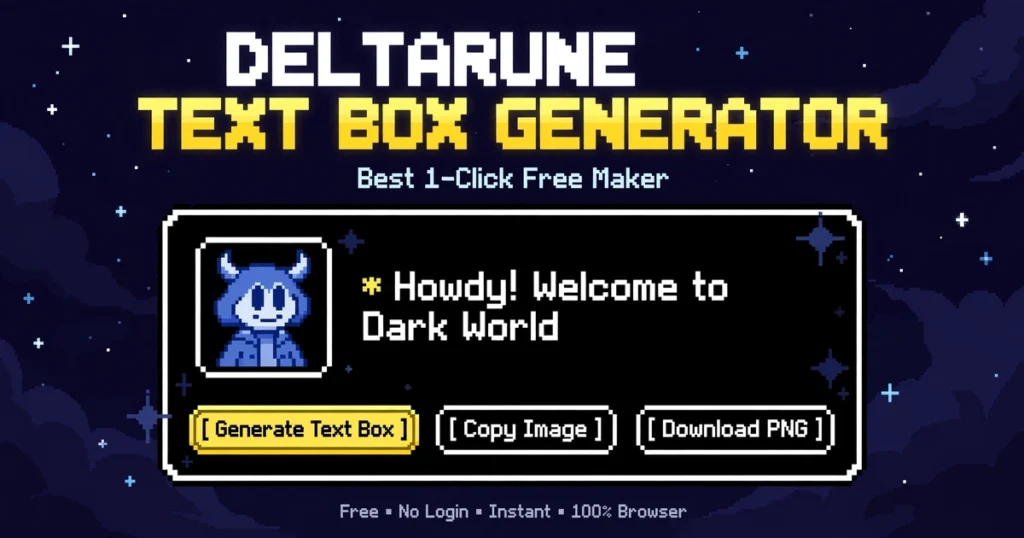
Welcome to the ultimate deltarune text box generator! Create authentic Undertale and Deltarune dialogue boxes with real talk sprites, 8-bit character voice sound effects, and 1-click instant PNG image download for Discord memes, Reddit, and roleplays.
DIALOGUE TEXT BOX GENERATOR
Create authentic retro game dialogue boxes with 8-bit character voices & portraits
Rendered at 1152x320 Retina HD. Click "Copy Image" to paste directly into Discord, Twitter, or Reddit!
Table of Contents
How to Use the Deltarune Text Box Generator (Step-by-Step)
Designing your custom RPG dialogue box takes only a few seconds with our online deltarune text box generator:
- Select Game Style: Choose between classic black-and-white Undertale pixel borders or cybernetic dark-blue Deltarune battle layouts.
- Pick Your Character & Voice: Select iconic characters like Sans, Papyrus, Susie, Ralsei, or Spamton. The tool automatically syncs their authentic 8-bit chatter sound frequencies.
- Upload Custom Portraits: Want to use your own Discord PFP, original character (OC), or custom sprite? Select [+] Upload Custom Image to insert any 1:1 portrait.
- Write Your Dialogue: Type up to four lines of dialogue in the text area. You can enable automatic asterisk (*) formatting and customize text colors (White, Determination Red, or Gold SAVE Yellow).
- Play or Export: Hit “Play Voiceover” to watch the dialogue type out with real retro sound effects, then click “Download Image (PNG)” or “Copy Image” to share immediately.
What is a Deltarune and Undertale Dialogue Generator?
A deltarune text box generator is an interactive fan-creation utility that replicates the distinctive visual dialogue screens from Toby Fox’s critically acclaimed indie roleplaying games, Undertale (2015) and Deltarune (2018–Present).
In traditional gaming engines, dialogue boxes communicate personality through:
- Distinctive 8-bit chatter blips: Rather than voice acting, each character uses an oscillator sound wave pitched at specific frequencies (for example, Sans speaks in a low 85Hz square wave, while Papyrus clicks at a sharp 310Hz).
- High-contrast talk sprites: Black-and-white pixelated expressions framed inside a dedicated 110×110 box.
- Typographic hierarchy: Classic monospaced fonts (specifically the Determination font inspired by 8-bit Apple II typography) paired with single asterisks marking dialogue pauses.
Our generator replicates these mechanics natively in modern web browsers using HTML5 Canvas rendering and the Web Audio API without requiring any game emulators or graphic software.
Comparison of Box Styles and Character Presets
| Character / Style | Game Origin | Border Type | Voice Sound Frequency | Best Meme Use Case |
| Undertale Classic | Undertale | Double White Pixel Border | Standard Square Wave | Puns, bad time jokes, iconic Papyrus rants |
| Deltarune Modern | Deltarune | Dark Blue & Neon Cyan Glow | Custom Character Wave | Dark World adventures, Susie chaos, Ralsei advice |
| Sans | Undertale | White 6px Box | Low Grunt (~85Hz) | Sarcastic comedy, fourth-wall breaks |
| Susie | Deltarune | Cyan Divider Box | Grumpy Sawtooth (~120Hz) | Intimidating threats, funny chalk-eating memes |
| Spamton G. Spamton | Deltarune | Glitch Neon Box | Erratic Randomized Square | [KROMER] sales pitches, corrupted spam dialogue |
| Ralsei | Deltarune | Cyan Divider Box | Soft Sine Wave (~390Hz) | Wholesome messages, tutorials, hugs |
Where to Share Your Retro Game Dialogue Boxes
Custom Undertale and Deltarune screenshots have become a staple format across gaming meme culture:
- Discord Server Roleplays & Memes: Create customized in-character server announcements or react to friends with iconic Sans punchlines. Test your server aesthetic with our Discord glitch text preview tool.
- Reddit & Twitter/X Gaming Communities: Post custom Deltarune Chapter theory scenes or funny ARG dialogues directly to r/Undertale and r/Deltarune.
- YouTube Shorts & TikTok Stories: Use dialogue box PNGs as thumbnail title cards or clip overlays. You can also produce moving vertical clips using our glitch text to video generator.
- Aesthetic Gaming Bios: Pair dialogue quotes with unique typography. Explore our curated glitch text Instagram bio guide and dark TikTok glitch names.
Explore Our Full Suite of Creative Typography Generators
Elevate your digital creations by discovering our full library of interactive tools:
- Fancy Font Styler: Convert normal text into over 50+ aesthetic styles with our fancy text generator.
- Classified & Blackout Text: Censor confidential files with solid black bars using our redacted text generator.
- Crossed-Out Typography: Draw horizontal or slash cut lines through words using our crossed out text generator and strikethrough text generator.
- Facebook Formatting: Create bold posts and marketplace listings with our bold text generator for facebook.
- Universal Bold Converter: Transform text into heavy mathematical fonts with our unicode bold text generator.
- Vibrant Discord Color Blocks: Highlight server announcements in bright red, green, and cyan using our Discord colored text generator.
- Hidden & Clean Spacing: Need clean breaks between words or an invisible gamer tag? Copy zero-width spaces via our invisible character tool.
- Miniature Fonts: Shrink normal text into tiny small caps, superscript, and subscript with our small text generator.
- Inverted & Flipped Letters: Turn your words upside down for fun social pranks with our upside down text generator.
- Animated Retro GIFs: Turn your words into moving retro animations using our glitch text to gif generator.
- Corrupted & Void Presets: Discover chaotic dripping Zalgo letters by browsing our collection of corrupted text copy paste and horror-themed cursed text copy paste presets.
- Gaming Clan Tags (PUBG & Free Fire): Design intimidating clan names using our 100+ unique PUBG names and check compatibility with our guide on will glitch text work on PUBG.
- Mass Tag Creation: Generate dozens of customized clan tags in seconds with our bulk glitch name generator.
- Distorted Memes: Craft distorted visual memes and pair them with retro sound bites on our glitch meme generator.
- Core Glitch Generator: To generate dripping Zalgo text with custom sliders from scratch, visit our core glitch text generator homepage.
Frequently Asked Questions (FAQ)
Is this deltarune text box generator free to use?
Yes! Our online deltarune text box generator is 100% free with unlimited generation, no watermarks, and no sign-up required.
Can I paste my generated dialogue box directly into Discord?
Yes. Simply click the “Copy Image” button. The dialogue box graphic will be saved directly to your clipboard, allowing you to press Ctrl + V inside Discord or Twitter to send it instantly as an image attachment.
How do I get custom character portraits?
Under the Character Portrait dropdown, select [+] Upload Custom Image. You can upload any square image (such as an anime sprite, your Discord avatar, or custom pixel art), and the generator will frame it cleanly inside the dialogue box.
Related Tools & Guides
Making more than text boxes? The glitch meme generator adds distorted captions straight onto images, and the glitch text to GIF generator turns the same effect into a looping animation you can post anywhere. You can browse everything in one place on our free glitch text generator tools page.